
Email Security Best Practices: How to Safeguard Your Inbox in 2026
Email remains one of the most widely used communication tools for both personal and professional life. Unfortunately, it is also one of the most targeted attack vectors for cybercriminals. From phishing scams and malware attachments to account takeovers and data leaks, email threats are growing more sophisticated every year.
In this updated guide, you’ll learn 15 essential email security best practices that will help you protect your inbox, secure sensitive information, and reduce the risk of cyberattacks. Whether you’re an individual user or managing business emails, these strategies are practical, proven, and easy to implement.
Why Email Security Matters More Than Ever
Cybercriminals use email to:
- Steal login credentials
- Spread malware and ransomware
- Impersonate trusted brands
- Gain access to financial and personal data
A single careless click can compromise your entire digital identity. That’s why following strong email security practices is no longer optional, it’s essential.
15 Email Security Best Practices You Should Follow
1. Keep Personal and Work Emails Separate
Use different email accounts and ideally different devices for personal and professional communication. This reduces the risk of sensitive work data being exposed through personal email breaches.
2. Use Dedicated Email Security Software
Specialized email security tools can detect phishing attempts, malicious links, and suspicious attachments before they reach your inbox.
3. Enable and Configure Spam Filters
Spam filters are your first line of defense. Make sure they are enabled and set to block emails from known malicious sources.
4. Implement Email Authentication (SPF, DKIM, DMARC)
Email authentication protocols help prevent email spoofing and verify that messages are coming from legitimate senders.
Make sure your domain uses:
- SPF to verify sending servers
- DKIM to validate message integrity
- DMARC to block unauthorized senders
This is essential for both individuals and organizations.
5. Enforce Data Loss Prevention (DLP)
DLP tools prevent sensitive information, such as customer data or financial details from being accidentally or intentionally shared outside your organization.
6. Use End-to-End Encryption
Choose email providers that offer end-to-end encryption so only you and the intended recipient can read your messages.
7. Install Reliable Anti-Malware Software
Anti-malware software protects your system from malicious attachments and infected email downloads.
8. Scan Suspicious Emails Before Clicking
If an email looks suspicious, scan it with your antivirus software before opening links or downloading attachments.
9. Keep Your Software Updated
Cybercriminals exploit outdated software. Regularly update:
- Operating systems
- Browsers
- Email clients
- Security tools
Patching vulnerabilities reduces your attack surface.
10. Create Strong, Unique Passwords
Avoid common passwords. Use a combination of uppercase letters, lowercase letters, numbers, and special characters.
Weak passwords are one of the biggest security risks. Use long, complex passwords that include:
- Uppercase and lowercase letters
- Numbers
- Special characters
Avoid using the same password across multiple accounts.
Email security best practices recommended by CISA
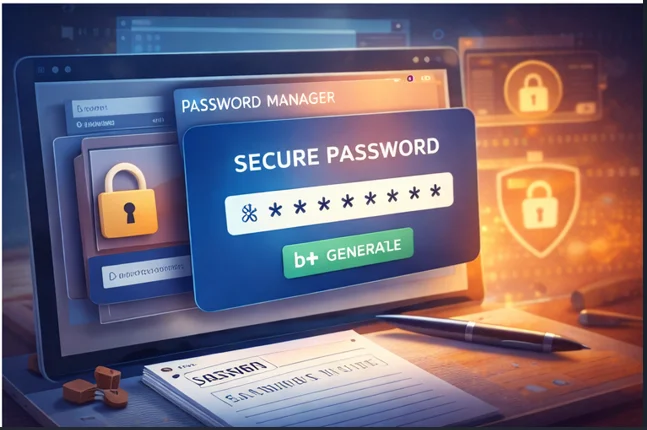
11. Use a Password Manager
Password managers generate and store strong passwords securely. They also help you avoid reusing passwords and reduce the risk of credential theft.
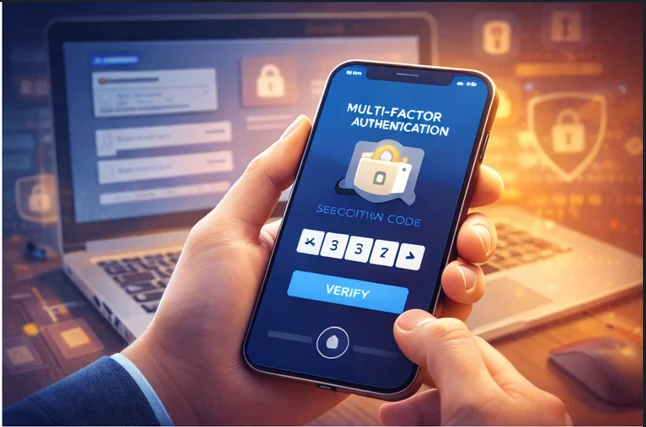
12. Enable Multi-Factor Authentication (MFA)
MFA adds an extra layer of protection by requiring additional verification, such as a code or biometric, along with your password.
- A password
- A verification code
- A biometric factor (optional)
Even if your password is compromised, MFA prevents unauthorized access.
13. Use Secure Email Gateways
For businesses, secure email gateways help scan inbound and outbound messages for threats before they reach users.
Organizations should deploy secure email gateways to filter threats in both inbound and outbound messages. These gateways block:
- Malware
- Phishing attempts
- Spam
- Data leaks
14. Avoid Unsecured Public Wi-Fi
Public Wi-Fi networks are risky. If you must access email on public Wi-Fi, always use a trusted VPN to encrypt your connection.
15. Always Log Out on Shared Devices
Never leave your email account logged in on public or shared computers. Logging out prevents unauthorized access.
Always log out of your email account when using:
- Public computers
- Shared devices
- Workstations in libraries or hotels
This prevents unauthorized access to your inbox.
Final Thoughts: Protect Your Inbox Proactively
Email security is not a one-time setup, it’s an ongoing process. By following these best practices, you significantly reduce your exposure to cyber threats and and keep your personal and professional information safe.
Staying informed, cautious, and proactive is the best defense against evolving email-based attacks.
Strengthening your email security today protects your identity, your data, and your digital life tomorrow.